
When we talk about messaging applications, then Whatsapp comes up to the first line. It is one of the most popular free messaging platform has finally presented the much anticipated feature that allows users the ability to access WhatsApp directly from the web browser on laptop or PC system.The new web client is an extension of the information...

In earlier time, people used to send personal messages and official messages by letter. That was taking too much time to reach beyond the destination point. Now that time is gone. Email is the first delivery message system, that can reach your information easily and fast in a written format.Sometimes you need to send personal information...

In this tutorial I’ll show you how to stop others from using WiFi connection on same network from your Android device.How does wireless Internet work? The simple answer is, a WiFi router connects with a broadband/LAN connection and it supplies the Internet connection via wireless. In a public WiFi network, everyone accesses...

After buying a mobile phone, always we think to protect it from scratches by applying screen guard and mobile case. No phone comes with a mobile case. So, if you have ordered a mobile case and want to protect your mobile for few days in cheap price, then a Balloon can help you.A Youtube user “Woosung an” uploaded this tutorial video and...
Logo is the brand of a website or a company. The big companies are known by their logos like apple, Blackberry, Microsoft, etc. When we think about a Facebook page or a twitter page, generally we need a profile picture as brand. That’s why we search for online logo maker websites.To create a logo, what we need? An image editing software,...
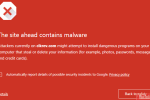
Google Chrome is one of the fast and secure browser, which people love to use for surfing and for web development purpose. In my previous post, I told about how to install Google Chrome using chrome offline installer. Chrome always uses safe browsing technology to serve a virus free environment of web browsing.I always use one site (can’t...
Memory cards are the source to extend our phone’s memory. It is not the only reason to have a memory card; it also saves and backup your digital data like photos, videos, music etc. It is very easy to buy and install, then what is the problem to choose the right memory card for phone?After purchasing a General phone or a Smartphone, all people...

Nothing is fully secure over the Internet, that doesn’t mean we say good-bye to it. The Internet is the largest and fastest medium to learn. Facebook is known as the biggest social networking site, but it is not fully secured. Near to 20-30 percent of fake accounts are present on Facebook and there is no solution to stop them. Fake...